First name tokens are not personalisation, Klaviyo custom events are
The quiz answers, repeat views and preference data in your account are already enough to personalise every flow. Almost nobody asks them anything.


Every quiz answer, repeat product view and abandoned browse is logged in Klaviyo the moment it happens, timestamped and attached to a profile. In most accounts, not one flow has ever asked what any of it says. That gap is the cheapest conversion work available to you.

A first name in the subject line is courtesy, not personalisation
A client asked us last month to make her emails feel a bit more personal. Maybe use first names more. We already did, on every single send, and it was doing almost nothing for her conversion rate. A first name token in the subject line has been table stakes for years.
It's not personalisation, it's just good manners. Real personalisation is Klaviyo already knowing that Sarah finished your skin type quiz, told you she has combination skin, and has viewed the same serum three separate times without buying it. All of that is sitting on her profile right now, timestamped and waiting for a flow to ask.
Klaviyo already knows enough about your customers. What almost no account has is a single flow built to use what it knows.
Your account is logging more than your flows ever ask about
Every account tracks a set of default events from the moment the tracking script goes live. Most quiz, sizing and preference tools push their own custom event into Klaviyo the second somebody finishes, usually under a metric name like Quiz Completed or Skin Assessment Submitted, and the event arrives carrying properties: skin type, hair concern, sometimes a budget preference if the quiz asks for one.
- Viewed Product, Viewed Collection, Added to Cart, Checkout Started and Placed Order, tracked by default on a Shopify account
- Custom events pushed by quiz and preference apps, each under its own metric name
- Properties riding on those events, such as the skin type a customer chose
- Profile properties written permanently, queryable long after the event itself fired
None of it needs a developer to switch on, because it's already firing. You can see it today under Analytics, in the Metrics view, event by event and property by property. Most brands never open that screen, so one browse abandonment flow built from the default template ends up carrying the whole personalisation strategy.
One quiz answer should change everything the email says
Take the scenario sitting in your account today. A customer completes a skin type quiz, gets tagged as combination skin, then views the same serum three times without buying. Most brands send her a generic still thinking it over email, identical whether she viewed a serum, a cleanser or a hairbrush, with her first name dropped in at the top.
The data is telling you to send something else entirely. Open by naming the product. Answer the question combination skin customers actually ask, whether it clogs pores and how it behaves on an oily T-zone, and pull in a review from a customer who gave the same answer if your review data is segmented that way. Three views of one product is hesitation, not a reminder opportunity.
The build difference between those two emails is small: one conditional split and one frequency condition on the trigger. The output difference is the part that moves conversion.
Use every custom event twice, once now and once forever
Once a quiz app pushes its event into Klaviyo you've got two separate ways to use it, and most accounts only ever use one. That's the whole reason a quiz can look clever and change nothing.
First, trigger a flow straight off the event. Somebody finishes the quiz, a flow fires within minutes, and it delivers their result and a recommendation tied to the answer they just gave. They're warm, they've just told you something about themselves, and the email has to land while that's still true.
Second, use the property the event left behind as a standing filter everywhere else. That same skin type value belongs as a conditional split in your welcome flow, your winback flow and your campaign segments, and it never expires. Most brands do the first, ignore the second, and let the quiz earn its keep for exactly one email.
Decide between a new flow and a split inside the one you have
The commonest failure we find in the accounts we take over is a flow that looks like it branches and splits on nothing useful. Every subscriber who enters gets the same three emails, whatever they viewed or answered. That's still first name personalisation, just with extra steps.
The fix is a conditional split right after entry, on the property that arrived with the triggering event or already sits on the profile. Split by product category, by the quiz answer, or by the price band viewed, then let each branch send genuinely different content instead of one static template. A customer who has only ever browsed haircare should never land in a branch showing her a serum.
The decision worth making out loud is when a signal deserves its own flow. Our rule: a separate flow when the trigger event is genuinely different, quiz completion against product view, and a split inside an existing flow when the trigger is the same and only the content needs to diverge.
Open the metrics screen before you build anything new
Open Klaviyo, go to Analytics, then Metrics, and read the full list of events actually firing into your account. Find your quiz or preference event, click into it, and look at the properties attached. That inventory is the first thing we do inside any account we take on, before a single flow gets touched.
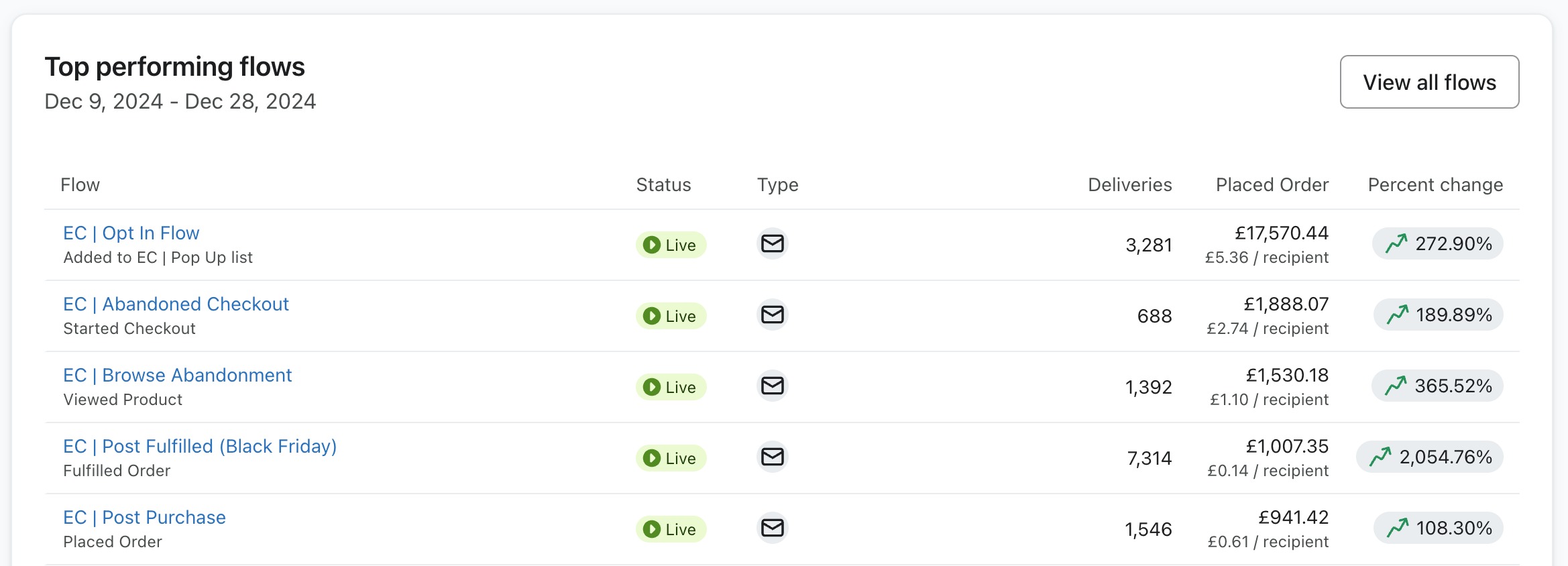
The flows report names the triggering metric under every flow, which keeps the audit honest. Check whether a single live flow uses your custom event as a trigger, or its property as a split, anywhere in its logic. For most accounts the answer is no, and closing that gap needs no new tool and no developer. Just somebody in the flow builder, or a team that lives there, which is what we do inside Klaviyo.
Alex Gregoriades
Operations director at Engage Commerce, where he runs the accounts the writing comes out of.
FAQs
What are custom events in Klaviyo?
They're events pushed into Klaviyo by apps and integrations beyond the built-in ones, such as a quiz completion, a subscription change or a loyalty milestone. Each arrives under its own metric name, carries properties describing what happened, and can trigger flows or feed conditional splits exactly like a default event.
How do I see which events are firing into my Klaviyo account?
Go to Analytics, then Metrics, and you'll see every metric the account receives, including events from connected apps. Click into any of them for recent activity and the properties each event carries. It's worth checking a few individual profiles too, because a customer record lists every event in the order it happened.
Should a quiz trigger its own flow in Klaviyo?
Yes, and quickly. A flow triggered off the quiz completion event delivers the result and a matched recommendation while the customer is still warm, which a batch campaign never manages. Keep the answer as a profile property as well, so every later flow and campaign can split on it.
When should I build a separate flow instead of a conditional split?
Build a separate flow when the trigger event is genuinely different, such as a quiz completion, not a product view. Use a conditional split inside an existing flow when the trigger is the same and the content should diverge, such as branching a browse flow by category or by a stored preference.
The quiz was never the clever part
Brands keep buying new tools to learn things their account already recorded. The event fired, the property stuck to the profile, and no flow ever asked either of them a question. Read what you already hold before you go and collect another answer, because the store that acts on its data beats the store that merely gathers it.
Klaviyo mechanics
The settings that quietly decide what your flows do, from someone who has rebuilt a flow stack.
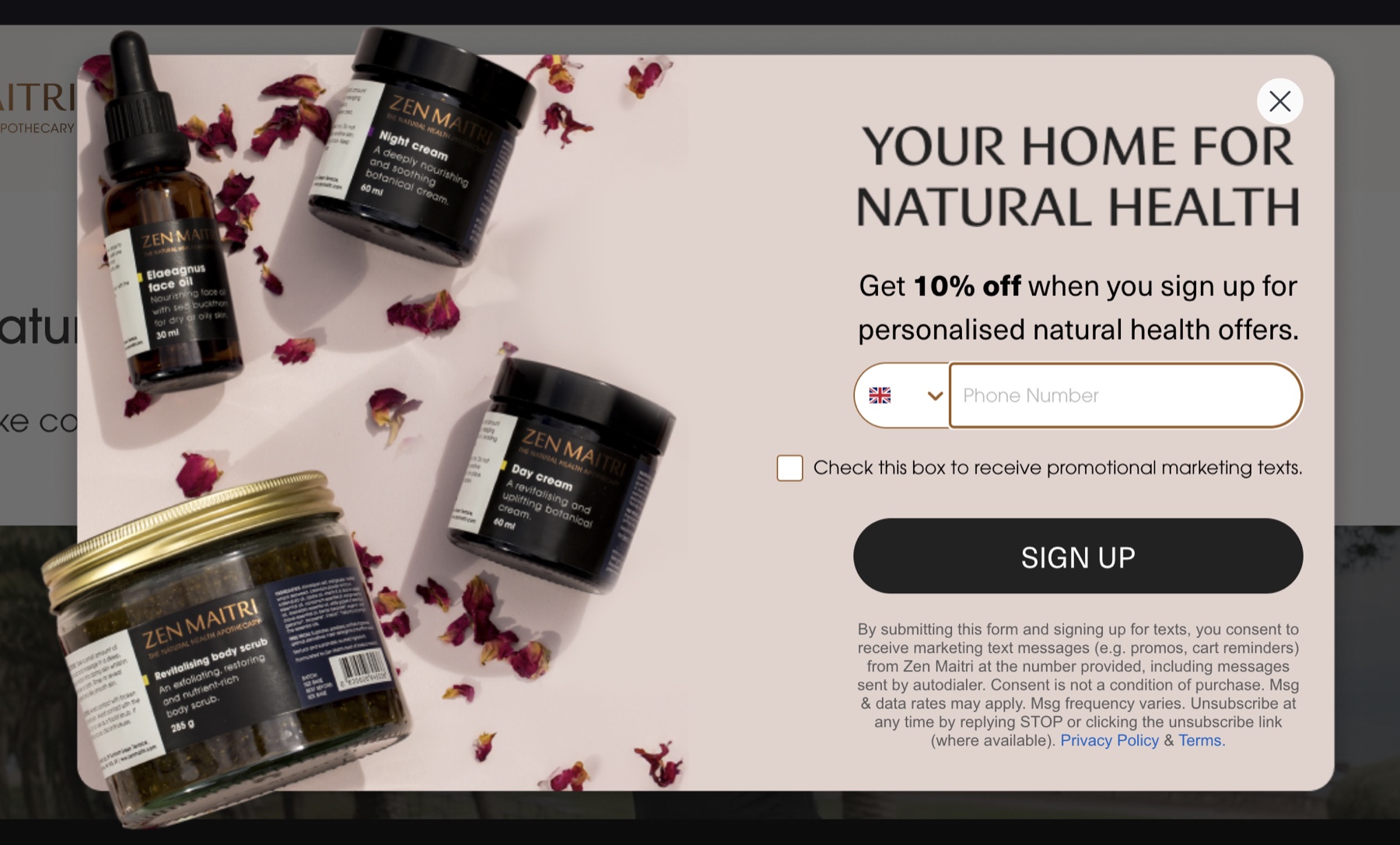
Klaviyo pop up best practices: the settings that decide whether a form works
Most forms fail on targeting and timing rather than design. The settings that decide it sit behind the editor, not inside it.
Read it
Building a Klaviyo back in stock flow that does not annoy people
The alert that sells the restock, and the settings that stop it firing at somebody who bought the thing last week.
Read it
The Klaviyo sunset flow: cleaning a list without losing revenue
The flow that stops you sending to people who stopped reading, and the rules that decide who it takes.
Read itWould you rather this was just handled?
Bring your Klaviyo account and the thing annoying you most. We will tell you what we would fix first, before you spend anything.


Half an hour with Theo, our founder.
We're all about relationships built on trust, mutual respect and a shared vision for success. If that sounds like your vibe, let's make some waves together 🌊